Tutor Profile Setup Guide

Complete the steps below to create your tutor profile. Once approved, you can teach online, host Meetups, or do both 🏁

Contents: 1. SIGN UP2. PROFILE PICTURE3. ABOUT YOU4. LANGUAGE5. VIDEO INTRODUCTION6. AVAILABILITY7. GET STARTED

Need help with your profile? Message our support team at career@logspeak.com 
1. Sign up

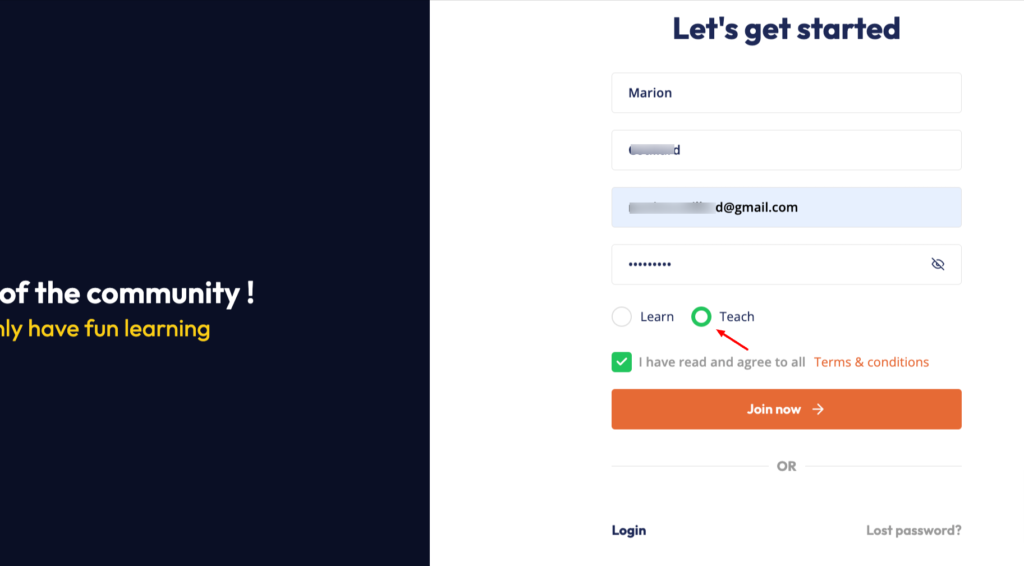
Register with your email and make sure you choose “Teach”

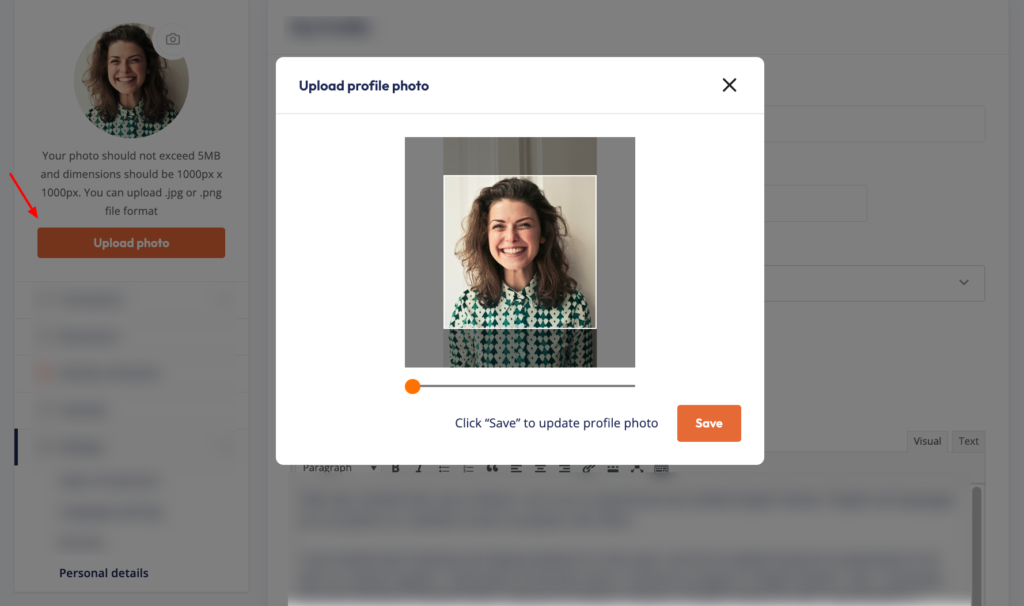
2. profile picture

Upload your profile picture 

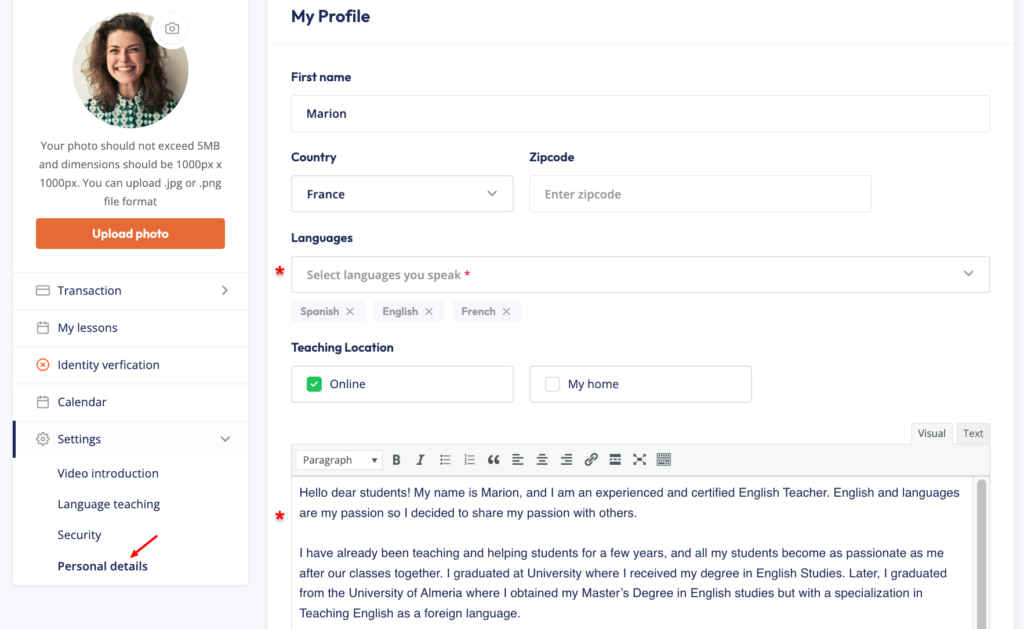
3. About you

Tell learners about yourself, your experience, and the teaching style they’ll experience in your lessons or Meetups.

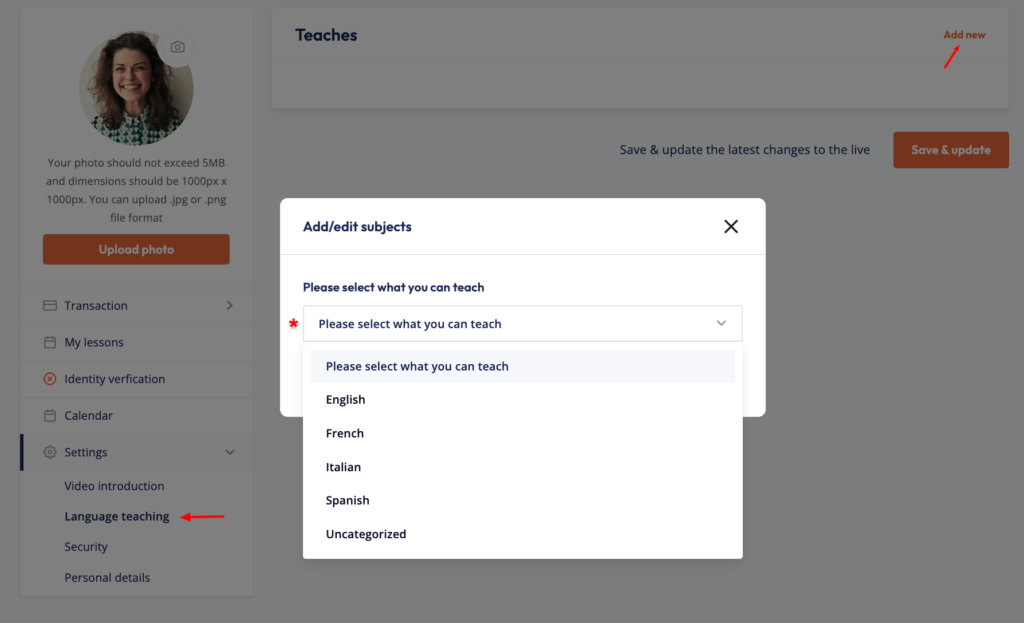
4. Language teaching

Select the language you want to teach

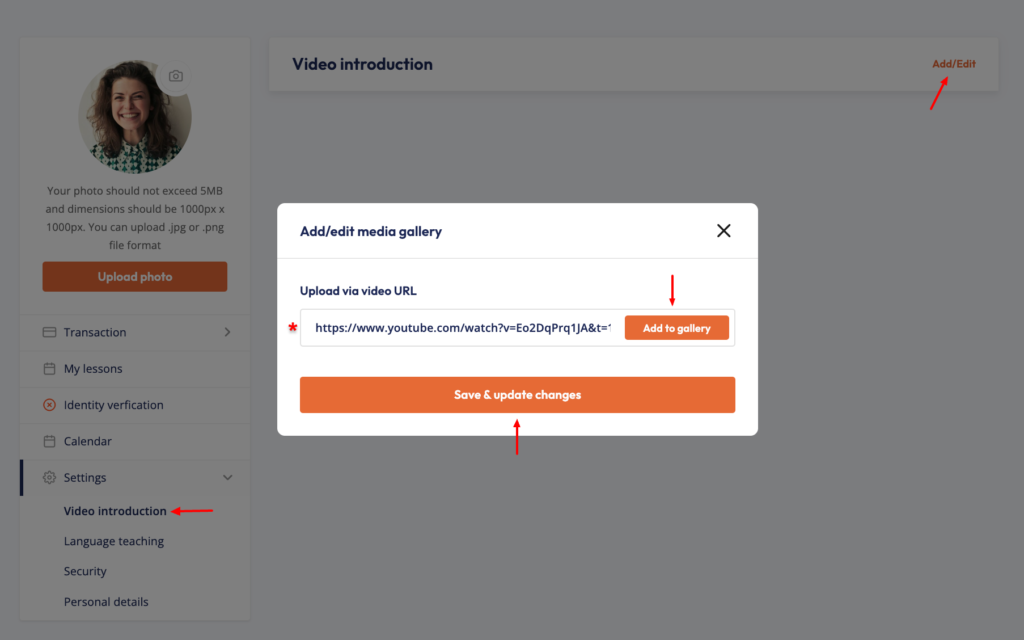
5. Video introduction

Record a short introduction on vimeo.com or youtube.com so learners can get to know you before booking a lesson or joining one of your Meetups.

6. Availability

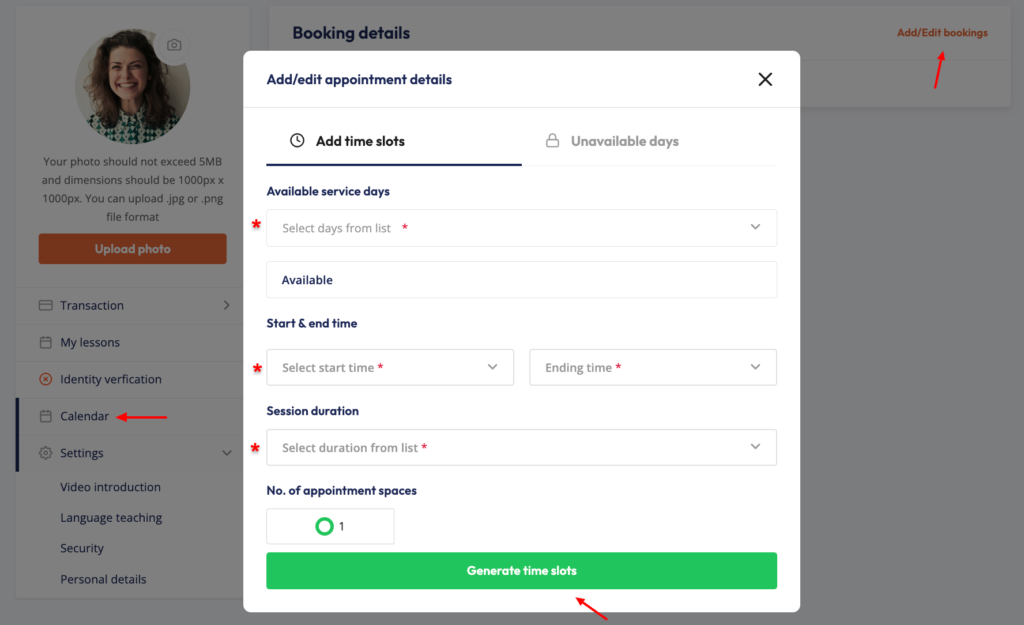
Set the times you’re available for online lessons and/or the times you plan to host Meetups.

7. Get verified

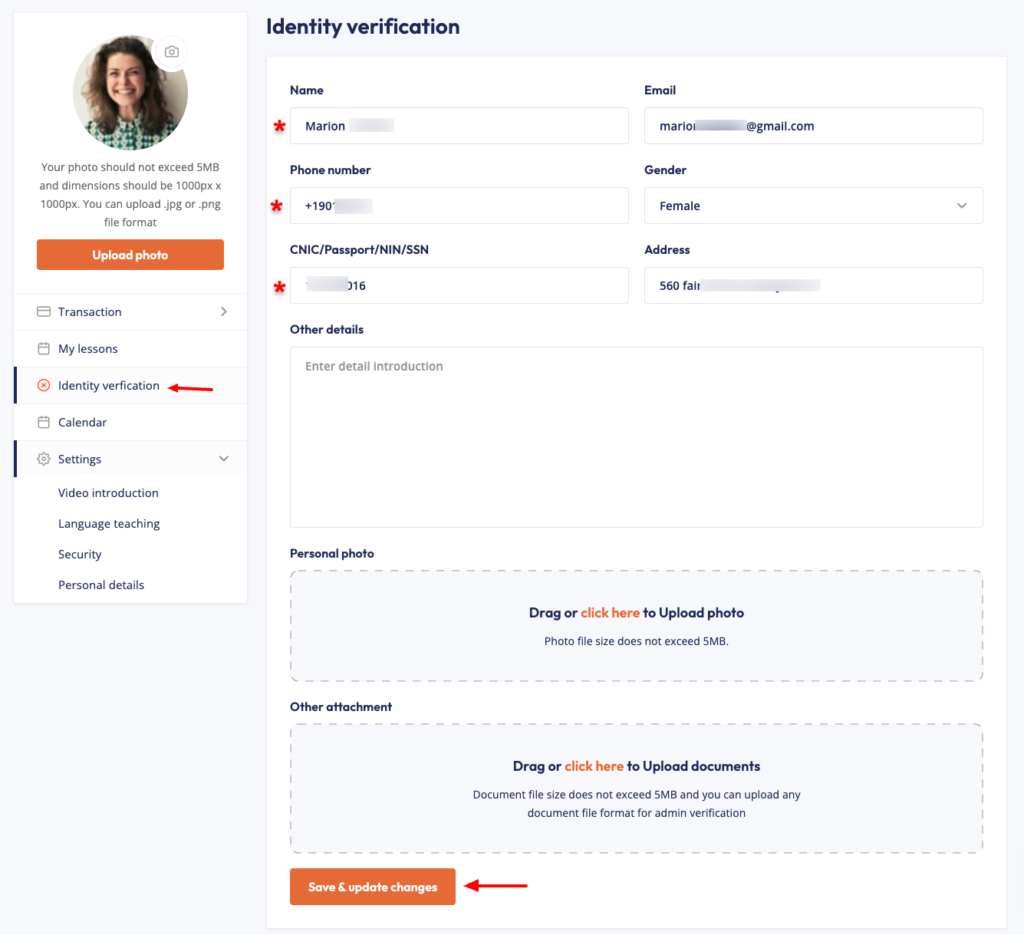
To send you payments, we need to be sure that you are you! Tutors must verify their identity to receive their earnings.

🎉 You're Ready! What's Next?

Congratulations! Your tutor profile is now ready for review.

Once approved, learners will be able to book your online lessons, Meetups, or both, depending on the teaching options you’ve selected.

To speed up your approval, don’t forget to upload your verification documents and email us at career@logspeak.com once you’ve submitted them. This helps our team review your application faster.

Keep your profile up to date, respond promptly to learners, and provide great learning experiences to earn positive reviews and grow your teaching opportunities.

We’re excited to welcome you to the Logspeak community. Start teaching and inspire learners today! 🚀